Activations Overview
Activations are customizable events that can be created and managed directly through the Activations tab within the XRHUB platform.
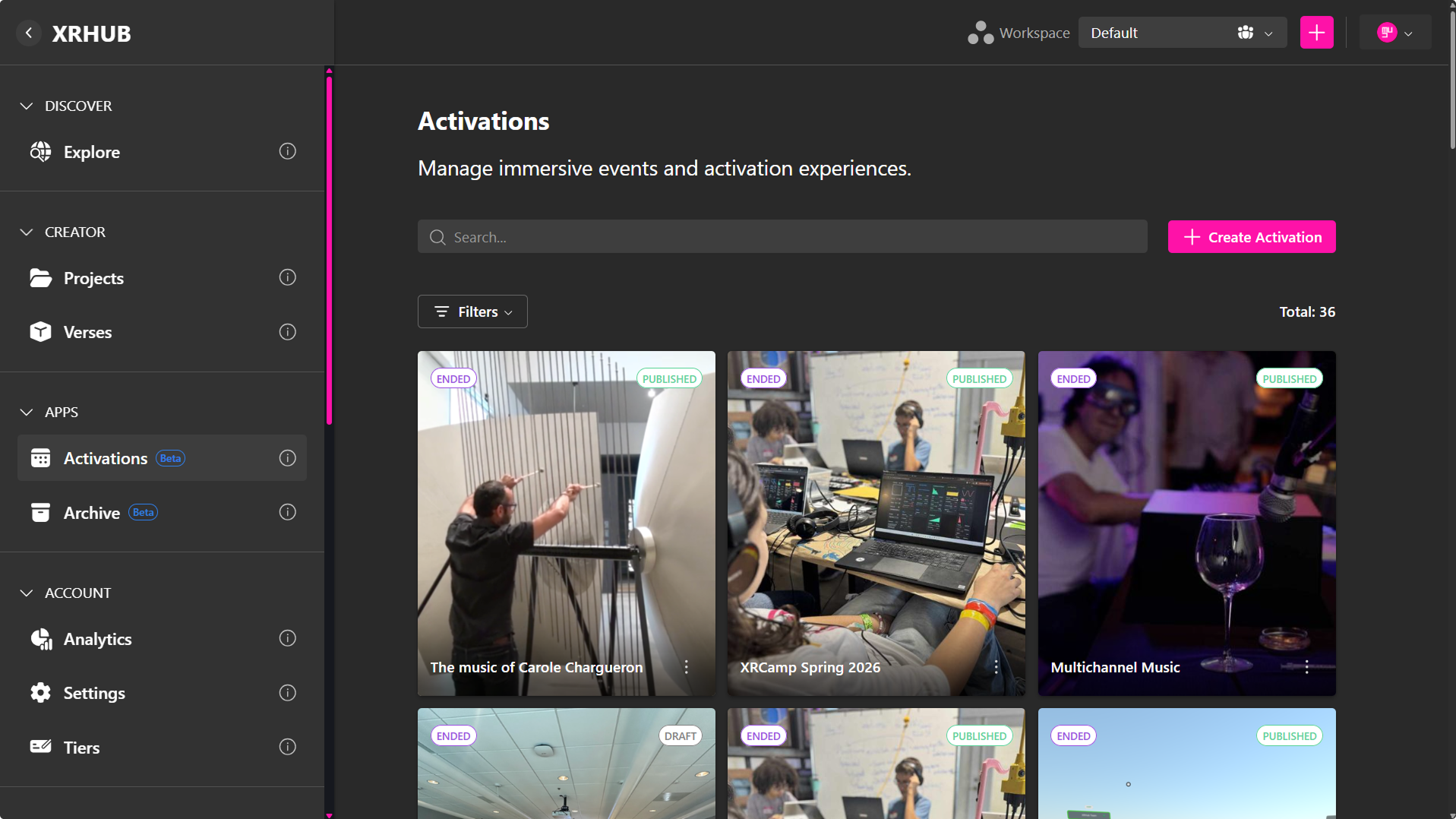
They support a range of formats, including fully virtual, in-person, and hybrid configurations, enabling hosts to deliver tailored experiences that align with their specific objectives.
Types of Activations
Virtual Activations
- Hosted in a digital environment such as a Verse, or any external platform accessible via URL (e.g., Zoom, Google Meet).
- Participants join online from anywhere.
In-Person Activations
- Hosted at a physical venue.
- You can add the event’s address so attendees know where to go.
- When guests RSVP, a digital ticket is generated for their entry.
Hybrid Activations
- A mix of both worlds—combining a real-world venue with a virtual space.
- Provide a physical address for in-person attendees.
- Share a URL or XRHUBVerse for remote participants to join online.
Creating an Activation
To begin, navigate to the Activations tab and select Create Activation.
This will open the event creation interface, where you can configure essential details including:
- Event name and description
- Privacy settings
- Activation type (virtual, in-person, or hybrid)
- Location and scheduling parameters
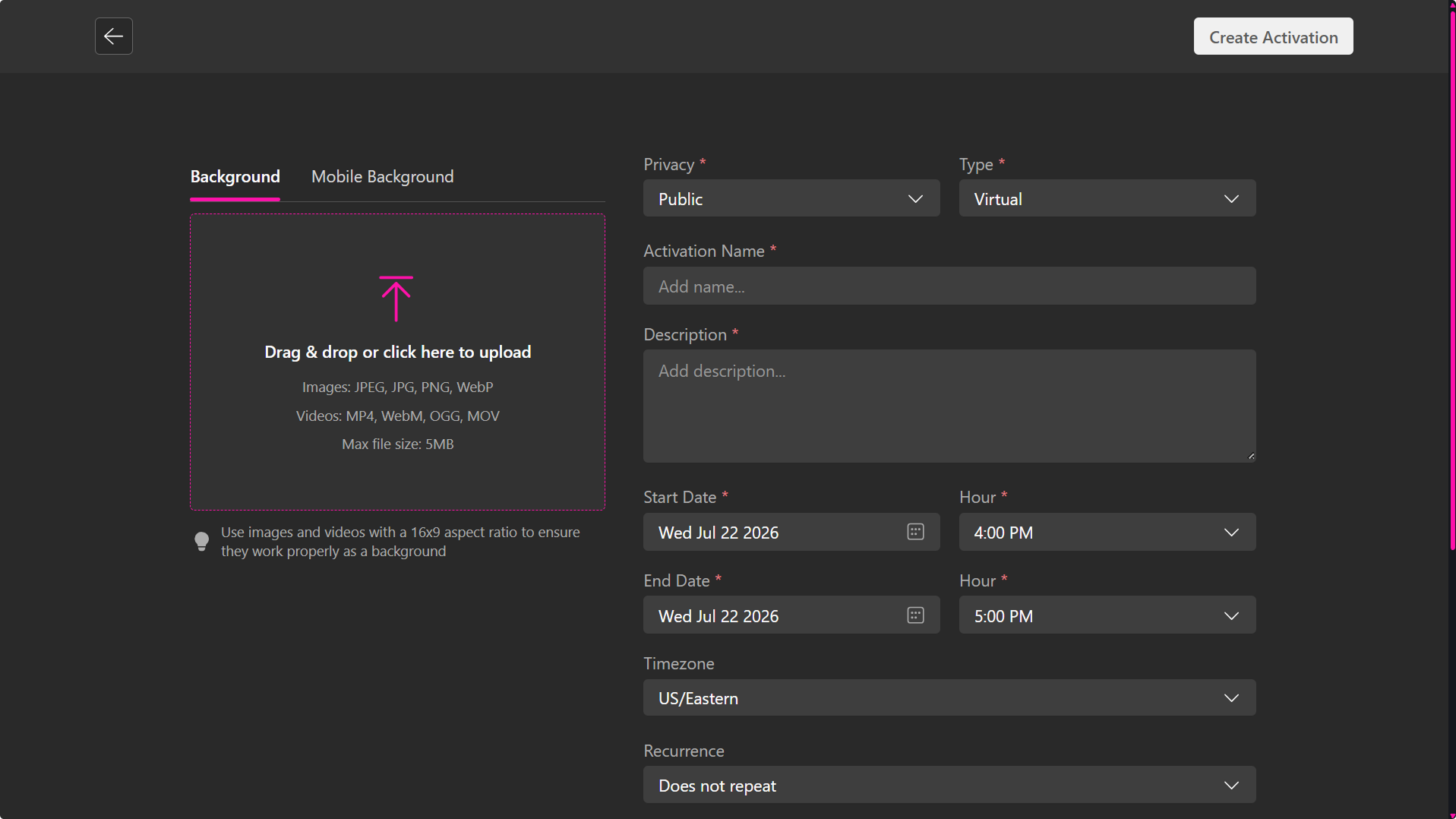
Configuration Options
Privacy Settings
- Public: Accessible to all users on the platform; anyone may view and join.
- Private: Restricted to invited participants or users with designated access permissions.
Activation Types
- Virtual: Hosted entirely online within XRHUB’s digital environment or in a custom URL.
- Hybrid: Combines virtual and physical participation; attendees may join via XRHUB or at a designated venue.
- In-Person: Conducted exclusively at a physical location, with no virtual component.
Event Details
- Name: A clear and descriptive title to help participants identify the activation.
- Description: A concise summary outlining the session’s theme, objectives, or intended outcomes.
- Timezone: Select the appropriate timezone to ensure accurate scheduling across regions.
- Start Date / Time: Specify the exact date and time the activation will commence.
- End Date / Time: Define when the activation concludes to establish its full duration.
- Recurrence:
- Does not repeat: Single-instance event.
- Daily / Weekly / Monthly: Automatically generates recurring sessions.
Additional Settings
- Tags: Add relevant keywords to improve discoverability (e.g., “Workshop,” “Training,” “Networking”).
- Category: Used to categorize Activations in the Community tab, making it easier for users to browse by topic or collection.
- Location: Set the space where the activation will be hosted.
- Image/Video Upload: Enhance the activation with visual assets. Supported formats include:
- Images: JPEG, JPG, PNG, WebP
- Videos: MP4, WebM, OGG, MOV
- Maximum file size: 5MB
- Recommended aspect ratio: 16:9
Post-Creation Workflow
Upon completion, the activation is saved as a Draft. Drafts remain hidden from attendees until explicitly published.
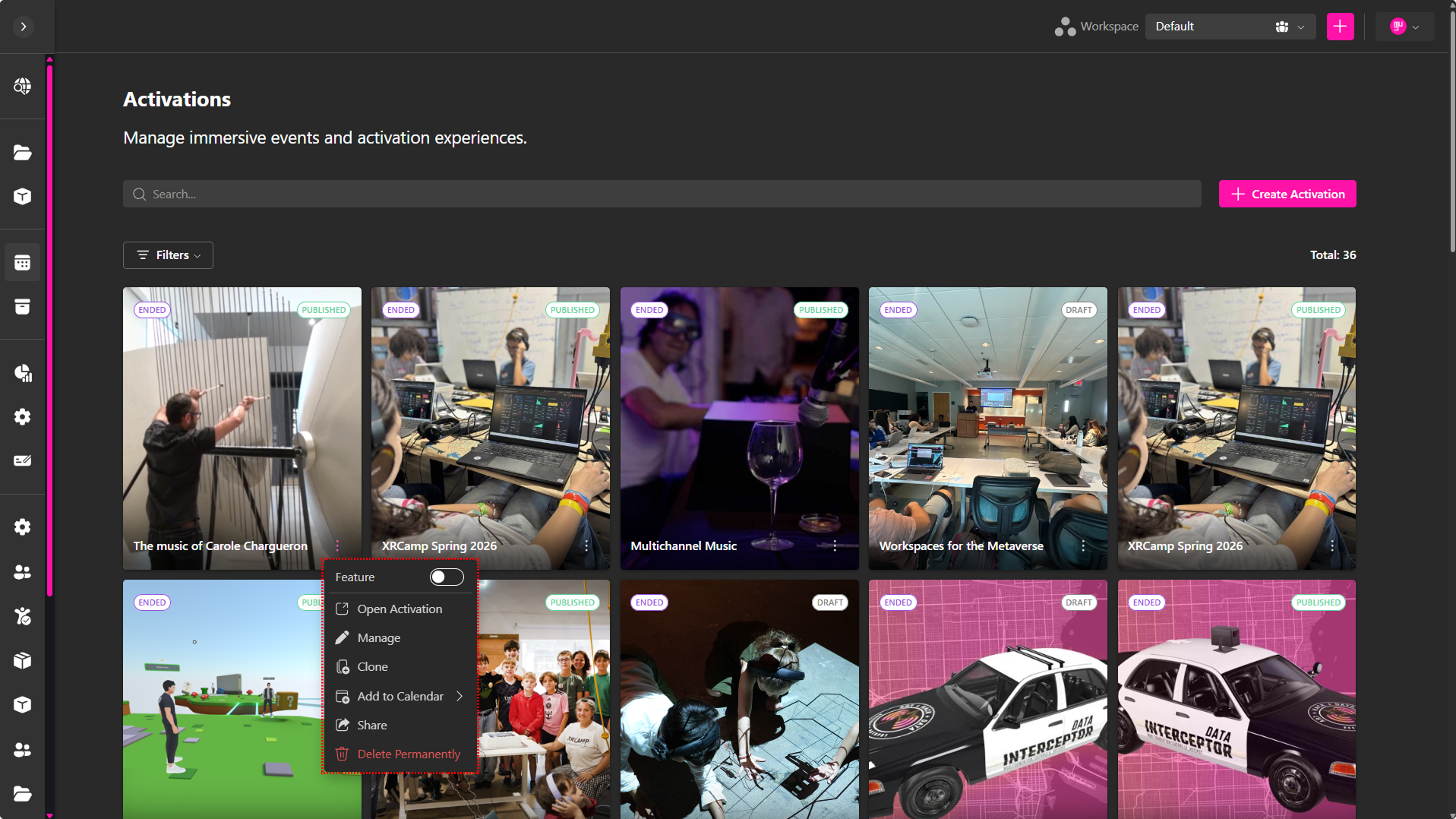
From the Activations dashboard, drafts can be managed via the quick-action menu:
- Feature: Highlight the activation in the Featured carousel on the Explore page.
- Open Activation: Preview the activation in full detail.
- Manage: Access configuration tools for scheduling, invitations, registration, and notifications.
- Add to Calendar: Add the event to your Google or Outlook calendar.
- Share: Copy and share the activation link with others.
- Clone: Duplicate the activation setup for future reuse.
- Delete Permanently: Store the activation for reference; archived events are removed from the main dashboard but remain accessible.
Activation Status Filters
Use the Filters menu to organize activations by status:
- Published: Live events visible to attendees.
- Unpublished: Drafts still under development.
From this point forward, event management options will vary based on the selected activation type. Whether the event is virtual, hybrid, or in-person, the XRHUB dashboard provides tailored tools to configure and oversee each format effectively.